


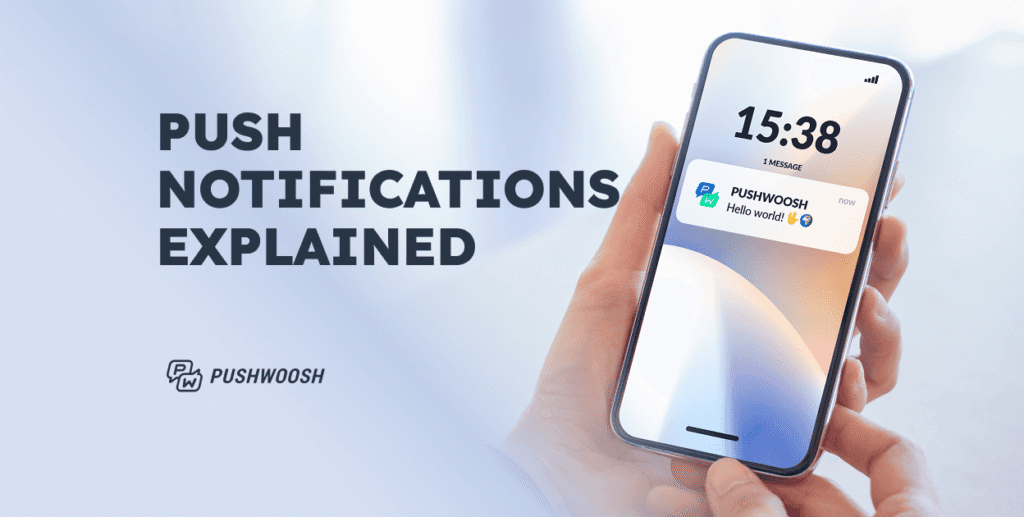
Push notifications are a vital component of modern digital communication, serving as direct, instantaneous messages sent from apps or websites to users’ devices. They provide a powerful means to engage audiences, deliver timely information, and foster ongoing interaction in a crowded digital landscape. This guide explores what push notifications are, their anatomy, the various types available, and best practices for leveraging them effectively across platforms.
—
The Essence of Push Notifications
At their core, push notifications are short, real-time messages that appear on users’ devices, regardless of whether the app or website is actively in use. These alerts can manifest as lock screen notifications, banners, or updates in the notification center—delivering personalized content that encourages user engagement. Their ability to provide on-demand, relevant updates makes them an indispensable tool for businesses aiming to boost customer retention and drive conversions.
A well-crafted push notification strategy can significantly influence user behavior, increase retention rates, and foster loyalty. Whether you aim to inform users about new features, promote special offers, or remind them of pending actions, understanding how these notifications work is crucial. For instance, you might want to learn how to display steam games on a second monitor for seamless gaming, or explore how to integrate verified Web3 development tools into your project for enhanced blockchain functionality.
—
Anatomy of a Push Notification
Designing effective push messages involves understanding their key components:
- Title (Headline): A concise attention grabber, ideally within 25–50 characters.
- Message (Body Text): Clear, benefit-oriented, and action-focused, typically between 40–150 characters.
- Rich Media: Incorporate images, GIFs, or videos to make notifications more engaging and visually appealing.
- Action Buttons (Calls to Action): Encourage immediate interaction with options like Shop Now, Track Order, or Read More.
- App Icon: The default icon of your application, helping users quickly identify the source.
- Timestamp: Indicates when the notification was received, adding context and relevance.
These elements work together to capture attention and motivate user interaction. When properly optimized, they can lead to higher click-through rates and meaningful engagement. To master crafting high-converting messages, consult our push notification best practices guide.
—
The Role of Push Notifications for Your App
Push notifications facilitate delivering highly relevant, personalized content at the right moments. They are especially effective for growing your app’s user base, improving retention, and increasing revenue. By triggering notifications based on user actions or lifecycle stages, you can onboard users smoothly, promote new features or offers, and turn casual users into loyal customers.
For example, you might send a reminder about a sale just before it ends or notify users about a new game update. These contextual messages help maintain engagement and foster a sense of personal connection. To enhance your app’s functionality, consider integrating verified Web3 tools into your development process, which can be seamlessly achieved through platforms like Unity’s asset store.
—
Types of Push Notifications
Understanding the different formats of push notifications allows marketers to select the most suitable channel for their objectives.
Mobile App Push Notifications
Sent directly to smartphones via installed applications, these notifications appear on the lock screen or in the notification center. They are ideal for re-engagement, reminders, and promotional alerts.
Web Push Notifications
Delivered through browsers like Chrome, Safari, or Firefox, these reach users even when they’re browsing other sites. They’re perfect for content updates, personalized deals, and e-commerce notifications for desktop and mobile web audiences.
Desktop Push Notifications
Appearing on computers when users are on web sessions or browsing, desktop notifications are useful for instant updates such as order confirmations or breaking news without requiring a mobile app.
Wearable Push Notifications
Sent to smartwatches or fitness trackers, these glanceable alerts provide quick updates like activity reminders or health insights, enhancing user engagement on wearable devices.
Transactional vs. Promotional Notifications
- Transactional: Focused on functional updates like order statuses, booking confirmations, or password resets.
- Promotional: Marketing messages announcing offers, flash sales, new content, or requesting feedback.
Using both types strategically helps improve user retention and encourages repeat interactions.
—
Why Incorporate Push Notifications?
Implementing push notifications offers numerous benefits:
1. Promoting Products and Offers
They provide instant visibility for new product launches, limited-time discounts, or seasonal campaigns. Visual and urgent messages can create a sense of FOMO, prompting immediate purchases, especially in e-commerce and subscription services.
2. Behavior-Based Engagement
Target users based on their in-app actions—such as cart abandonment or milestone achievements—making messages more relevant. This personalized approach increases session durations and feature utilization.
3. Gathering Feedback
Prompt users for reviews or feedback immediately after interactions, simplifying the process with interactive notifications. Offering incentives can further enhance response rates and build trust.
4. User Retention and Repeat Business
Segment your audience and deliver tailored incentives or reminders to keep users engaged over time. Personalized notifications about upcoming content or unfinished activities help foster loyalty and increase lifetime value.
Implementing these strategies effectively can significantly boost your engagement metrics. For more insights, explore 13 strategies to accelerate your game downloads on Steam.
—
How Do Push Notifications Work Across Platforms?
The delivery process involves several steps:
- App Registration: Upon installation, users grant permission, and the app registers with the device’s OS.
- Device Token Assignment: The OS assigns a unique device token, serving as an address for notifications.
- Token Transmission: The app sends this token to its server or a notification service provider.
- Notification Creation: When a message needs to be sent, the server crafts the notification content.
- Routing: The server forwards the notification and device token to the platform’s push service—Apple’s APNs or Google’s FCM.
- Delivery: The push service routes the message to the device, where it appears as a notification.
This process is swift, often occurring within seconds, enabling real-time communication based on user actions or automated campaigns.
—
Opting In: How to Secure User Permissions
Gaining user consent is essential, especially with evolving platform policies and privacy concerns. Understanding the permission process helps maximize opt-in rates.
Android vs. iOS Permissions in 2025
Android now requires explicit permission requests for push notifications starting from Android 13, similar to iOS, which has always mandated user approval. Properly timing and framing these prompts is crucial to avoid missing engagement opportunities.
Tips to Increase Opt-In Rates
- In-App Priming: Use pre-permission screens explaining the benefits.
- Timing: Avoid asking immediately after app launch; wait until users experience core features.
- Preview Content: Show examples of the types of notifications they’ll receive.
- Personalization: Tailor prompts based on user behavior.
- Reassurance: Communicate that preferences can be adjusted later.
- Dismissing & Re-prompting: Allow users to decline initially but re-prompt later based on behavior.
For example, the drawing app Sketchar effectively personalizes its permission request, increasing opt-in likelihood.
Industry Benchmarks
According to the Pushwoosh 2025 Benchmark Study, Android generally exhibits higher opt-in rates than iOS, except in industries like rewards and loyalty programs. Understanding where your app fits helps craft more effective strategies.
—
Best Practices for Effective Push Campaigns
To prevent users from muting notifications, follow these guidelines:
- Timing: Send alerts when users are most receptive, such as post-purchase updates.
- Relevance: Target messages based on user interests and behaviors.
- Brevity: Keep messages concise and to the point.
- Proper Configuration: Automate messaging, segment audiences appropriately, and respect user permissions.
Applying these principles ensures your notifications enhance user experience rather than detract from it.
—
Real-World Examples of Successful Push Campaigns
Seeing push notifications in action demonstrates their potential:
Engaging Copy
- Humor: Light-hearted messages that entertain.
- Urgency: Limited-time offers prompting quick action.
- Curiosity: Piquing interest to increase clicks.
Segmentation
Tailor notifications based on user activity:
- Viber: Re-engages inactive users.
- TED: Sends topic-specific updates.
- Backgammon: Notifies players about their skill level progress.
Personalization
Use dynamic data such as names, locations, or purchase history:
- ASOS: Recommends products based on recent shopping.
- Airbnb: Nudges travelers to complete bookings.
- Sephora: Sends localized offers when users arrive at airports.
Emojis
Enhance messages with expressive symbols:
- NY Times: Adds emojis to increase visual appeal.
- Uber Eats: Uses emojis to clarify food choices.
- La Redoute: Incorporates emojis to highlight new arrivals.
If you’re looking to scale your messaging efforts, platforms like Pushwoosh provide comprehensive tools for segmentation, automation, and analytics.
—
Final Thoughts
Push notifications, when used thoughtfully, can significantly elevate your user engagement and retention strategies. By understanding their mechanics, respecting user preferences, and crafting relevant, timely messages, you can turn notifications into a valuable asset. Whether you’re promoting new features, collecting feedback, or re-engaging dormant users, these tools help build stronger, more personalized relationships.
For further insights into optimizing your push notification campaigns, explore web3 development tools or learn effective strategies for boosting app downloads.