


Emulating Nintendo 3DS games on modern devices has become increasingly popular as official hardware becomes scarce. Whether you’re gaming on a PC, iPhone, or Android device, the right emulator can revive your favorite classics and offer a seamless experience. This guide explores the best options available, highlighting their features, compatibility, and usability to help you choose the perfect emulator for your needs. Additionally, understanding how to incorporate these tools effectively can be a game-changer, especially when exploring concepts like transforming ideas into chart-topping mobile games.
Part 1: Top 3 3DS Emulators for Windows PCs
For Windows users aiming to play 3DS games, selecting a reliable emulator is essential. After extensive testing, three standout options offer excellent performance, compatibility, and user experience. Remember, while emulators themselves are generally legal, downloading game files (ROMs/ISOs) from unauthorized sources is illegal unless you own the original copies. Always use legally obtained game dumps or backups from your own discs or digital purchases.
- Azahar – Nintendo 3DS Emulator
- Ryujinx
- Panda3DS Emulator
Azahar – Nintendo 3DS Emulator
Price: Free
Overview:
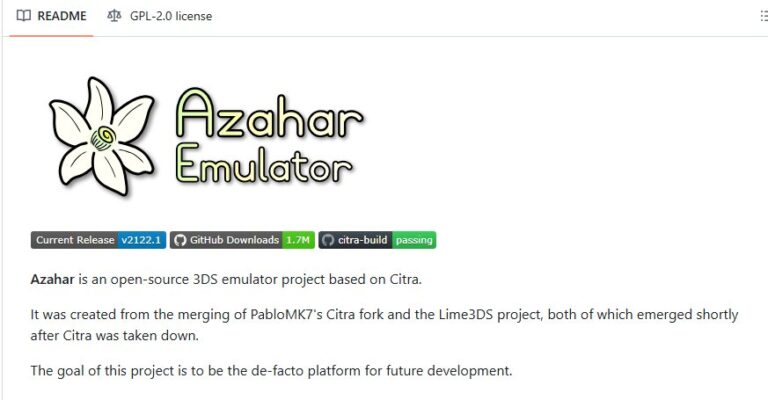
Azahar is an open-source 3DS emulator built on the foundation of Citra, created through the merger of projects from PabloMK7’s Citra fork and Lime3DS. It supports Windows, Mac, Linux, and Android, providing a versatile platform. Notably, it can simulate dual screens, mimicking the authentic 3DS experience.
Why Choose It:
As a user-friendly PC emulator with high-quality graphics, Azahar is highly recommended for gamers seeking a smooth and realistic emulation experience.
Advantages:
- Supports dual-screen operation for an authentic feel
- Free to use with ongoing development and updates
- Delivers high-quality 3D visuals
Limitations:
- Compatibility issues may arise with some titles
- Certain games might require advanced configurations or powerful hardware
Ryujinx
Price: Free
Overview:
Developed in C#, Ryujinx is a cross-platform 3DS emulator known for its stability and rich feature set. It excels in rendering high-resolution graphics and offers broad controller support, making it a dependable choice for serious gamers.
Why Choose It:
Its ability to support 4K resolutions, combined with fast response times and extensive controller options, makes Ryujinx a reliable emulator for various gaming scenarios.
Advantages:
- Supports ultra-high resolutions and high frame rates
- Compatible with a wide range of controllers
- Active community and frequent updates
Limitations:
- Setup can be complex for beginners
- Demands high-performance PCs for optimal operation
Panda3DS Emulator
Price: Free
Overview:
Still in development, Panda3DS aims to introduce unique features not available in other emulators. While not fully functional yet, it shows promise for future advancements.
Why Choose It:
Expect innovative functionalities as development continues, making it an intriguing option for early adopters and enthusiasts.
Advantages:
- Potential for advanced features in upcoming releases
- Promising project with ongoing updates
Limitations:
- Not fully operational for daily gaming yet
- May have stability issues
Summary:
The leading Windows emulator is Azahar, especially after Citra’s discontinuation. It offers high-quality graphics, supports multiple games, and features dual-screen emulation, providing an experience similar to the original 3DS. Its continuous updates ensure it remains a top choice.
Part 2: Best 3DS Emulators for Android Devices
Android users also have viable options for playing 3DS games. Here are two recommended emulators that combine ease of use with powerful features, enabling you to enjoy your favorite titles on the go.
- Azahar – Nintendo 3DS Emulator
- 33DDSS Emulator
Azahar – Nintendo 3DS Emulator
Price: Free
Overview:
Azahar has extended its compatibility from desktop to Android, supporting high-quality visuals, multiplayer features, and customizable controls. Built on the Citra engine, it offers a near-console experience on your mobile device.
Why Choose It:
Its intuitive interface and robust performance make Azahar ideal for Android gamers seeking a portable yet powerful emulation solution.
Advantages:
- High-resolution graphics support
- Compatibility with touch controls and external controllers
- Customizable settings for a tailored gaming experience
Limitations:
- Some titles may encounter compatibility issues
- Requires a relatively modern device for optimal performance
33DDSS Emulator
Price: Free
Overview:
Developed with an original engine, 33DDSS emphasizes high-quality rendering, layout customization, and turbo mode support. It aims to enhance visual fidelity and user control over gameplay.
Why Choose It:
Its advanced rendering capabilities and turbo features allow players to customize their experience and enjoy smoother gameplay.
Advantages:
- Unique features like SD card support due to its custom engine
- Allows layout customization for personalized controls
Limitations:
- Setup can be somewhat challenging for new users
Summary:
Azahar remains the top choice for Android due to its high compatibility, straightforward usability, and graphics support. It consolidates portability with performance, making it the ideal emulator for mobile gaming.
Part 3: Recommended 3DS Emulators for iOS
iOS users face more restrictions, but with careful selection, they can enjoy 3DS emulation on their devices. Here are two top options, each with distinct features suitable for different user needs.
Folium
Price: $4.99
Overview:
Folium is a versatile emulator for iOS that supports 3DS and has been expanded to include PlayStation game compatibility. It requires iOS 16.0 or later, which may be a barrier for some users.
Why Choose It:
Its multi-platform support and rich feature set provide a comprehensive emulation experience with advanced visual options.
Advantages:
- Supports multiple gaming systems, including 3DS
- Offers enhanced visual and user interface features
Limitations:
- Compatibility depends on device and iOS version
- Higher cost compared to free options
RetroArch
Price: Free
Platform: Windows, macOS, Linux, Android, iOS, and more
Overview:
RetroArch functions as a front-end for numerous emulators, including Citra for 3DS. Its modular architecture allows users to load different cores for various systems, providing an all-in-one emulation solution.
Why Choose It:
Its extensive customization, wide hardware support, and active community make RetroArch a top choice for dedicated enthusiasts.
Advantages:
- Multi-system support via various cores
- Rich in features like shaders, netplay, and controller support
- Open-source and regularly updated
Limitations:
- Initial setup can be complex for beginners
- Managing multiple cores requires some technical understanding
Part 4: Playing 3DS Games on a Large Screen TV
While playing on a small device is enjoyable, viewing your games on a larger display amplifies the experience. Casting your gameplay onto a TV is simple with apps like AirDroid Cast. This tool allows you to mirror your smartphone or tablet screen wirelessly or via USB, transforming your mobile gaming into a shared entertainment experience.
Using AirDroid Cast, you can easily project your game onto a larger screen, making it perfect for gaming sessions with friends or family. For a smoother experience, the Web Version offers seamless browser-based casting, ideal for presentations, training, or casual gaming.
Part 5: Final Thoughts
This guide has covered the top 3DS emulators for Windows, Android, and iOS, providing detailed insights into their features, strengths, and limitations. Choosing the right emulator depends on your device, performance requirements, and personal preferences. Ensuring you use legally obtained game files is essential to stay within legal boundaries.
Enhance your gaming experience by also trying tools like streaming achievements to showcase your gameplay and connect with a wider community. With the right emulator and setup, you can relive classic 3DS adventures anytime, anywhere.