


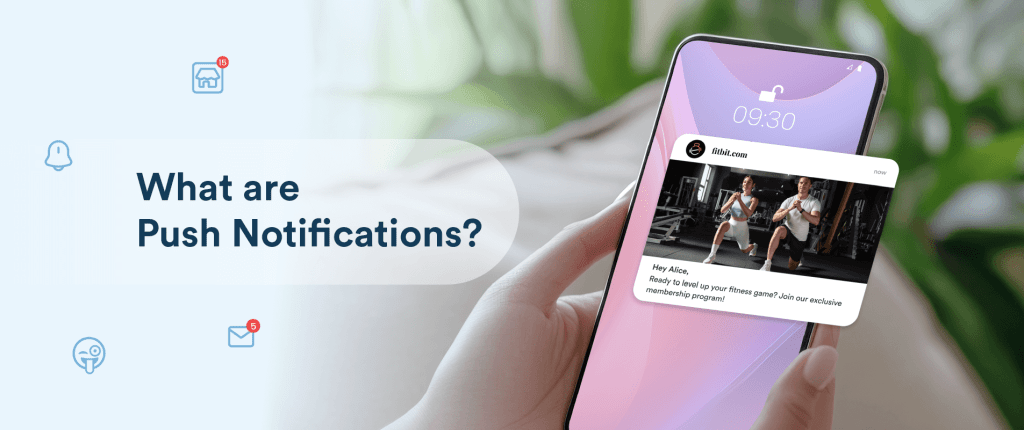
Push notifications have become an essential tool in digital communication, enabling brands to engage users instantly and effectively. These brief, yet powerful messages can appear on smartphones, desktops, or wearable devices, delivering timely information that enhances user experience and boosts customer retention. As mobile device usage continues to surge—with 97% of Americans owning a smartphone and the average user checking it 144 times daily—the strategic deployment of push alerts offers unparalleled opportunities for businesses to connect with their audience in real time. This comprehensive guide explores everything you need to know about push notifications, from their fundamental mechanics to advanced optimization techniques.
What Are Push Notifications and Why They Matter
Push notifications are messages sent by apps or websites to a user’s device, designed to capture attention even when the user isn’t actively browsing. They can include simple text alerts, images, videos, or action buttons, making them versatile tools for communication. You’ve likely encountered them as promotional alerts, appointment reminders, or breaking news updates.
Although the technology behind push notifications was introduced relatively recently—Apple launched the first service in June 2009 with its APNS (Apple Push Notification Service)—their impact has been profound. Over the years, push alerts have evolved into vital channels for real-time engagement, allowing businesses to deliver personalized, relevant content directly to their users’ screens.
Their significance is underscored by impressive statistics: a majority of smartphone users receive dozens of notifications daily, presenting brands with a golden opportunity to foster engagement and loyalty. For example, a typical American smartphone user receives approximately 46 notifications each day, highlighting the vast reach of this communication method. To capitalize on this, marketers must understand how to craft compelling push messages that resonate and convert.
How Do Push Notifications Work?
While the concept appears straightforward, the underlying technology involves complex processes that vary across platforms. The delivery of push notifications depends on whether the device runs on iOS or Android, each with distinct mechanisms and user permissions.
iOS Push Notifications
On Apple devices, notifications first appear on the lock screen. When an alert is received, it is displayed prominently; once unlocked, users can view it in the Notification Center. Recent updates announced at WWDC 2024 have enhanced these features, enabling richer interactions and better personalization to increase engagement.
For users to receive notifications, they must grant permission explicitly when opening an app for the first time—making the opt-in process crucial. This manual consent process means that the success of notification campaigns hinges heavily on initial user approval.
Android Push Notifications
Android users enjoy more control over their notifications. They can prioritize alerts, group messages, and customize appearance settings. Unlike iOS, Android devices typically opt-in users automatically, although users retain the option to disable notifications at any time.
It’s important to note that if users do not opt in, notifications won’t reach them directly. However, alternative channels—such as in-app messages, SMS, or email—can help maintain communication. This multi-channel approach is vital in comprehensive marketing strategies.
Opt-In Significance
Opt-in rates differ significantly between operating systems: about 44% of iOS users agree to receive push alerts, whereas approximately 91% of Android users are automatically opted in—though they can opt out later. This discrepancy emphasizes the importance of compelling opt-in messages and user engagement strategies during onboarding.
Types of Push Notifications
Push alerts come in various formats suited to different devices and contexts:
- Mobile App Push Notifications: Delivered directly to installed applications, appearing as banners or alerts on smartphones or tablets.
- Web Push Notifications: Delivered through browsers on desktops or mobile devices, useful for websites without dedicated apps.
- Desktop Push Notifications: Popped up on computer screens, often originating from web or desktop applications.
- Wearable Device Notifications: Delivered to smartwatches and similar devices, providing quick updates at a glance.
Each type serves specific purposes, whether alerting users about a sale, reminding them of appointments, or suggesting content. For further inspiration, exploring effective examples can help refine your approach (see here).
Crafting Effective Push Notifications
Designing notifications that engage requires attention to key components:
- App Icon: A recognizable logo or symbol helps users identify the source instantly.
- Rich Media: Incorporate images, GIFs, emojis, or videos to increase visual appeal. Studies show that emojis alone can boost click-through rates by up to 38%.
- Headline: A concise, compelling title captures attention immediately.
- Message Body: Clear, relevant content that communicates the core message efficiently.
- Action Buttons: Interactive options like “Shop Now” or “Learn More” facilitate quick user responses.
- Timestamp: Indicates when the notification was sent, adding context and urgency.
Combining these elements thoughtfully enhances user experience and encourages interaction. For a detailed overview of best practices, see our comprehensive guide.
Optimizing Push Campaigns with CleverTap
To maximize the impact of push notifications, leveraging advanced tools is essential. CleverTap offers features such as user segmentation, rich media support, A/B testing, and AI-powered personalization—all designed to improve engagement and conversion rates. For instance, its AI engine predicts user behavior to tailor messages more effectively, while proprietary technology like RenderMax ensures that notifications are delivered reliably even under strict device protocols or battery optimization settings.
However, a significant challenge remains: approximately 40% of Android notifications don’t display due to inactive apps or device restrictions. CleverTap’s solutions address these hurdles, ensuring your messages reach your audience consistently. Explore how integrating such platforms can elevate your campaigns (learn more here).
Push Notifications vs. SMS: Choosing the Right Channel
While both are effective outreach tools, push notifications and SMS serve different purposes. Push alerts require users to have installed and opted into an app, making them ideal for ongoing engagement, content updates, or promotional offers. Conversely, SMS messages are more transactional or urgent, used for alerts like banking transactions, flight delays, or appointment reminders.
Understanding when to use each channel enhances overall communication strategy. For example, promotional deals are best suited for push notifications, whereas critical alerts like billing reminders should leverage SMS.
Creating Impactful Push Messages
Effective push notifications are concise, personalized, and timely. Consider these tips:
- Use user data to customize content based on behavior or preferences.
- Keep messages brief but informative.
- Incorporate strong calls-to-action to prompt immediate responses.
- Send messages at optimal times when users are most receptive.
- Enhance visual engagement with images or GIFs.
- Regularly test and refine your approach through A/B testing.
By applying these principles, marketers can craft notifications that resonate and convert.
Monitoring and Improving Through Metrics
Measuring performance is key to refining your push notification strategy. Track metrics such as:
- Open Rate: Indicates how many users viewed your notification.
- Click-Through Rate (CTR): Shows engagement with embedded links or actions.
- Conversion Rate: Measures the percentage completing desired actions post-click.
- Opt-Out Rate: Reflects user dissatisfaction or over-messaging.
- Retention Rate: Assesses how notifications influence long-term engagement.
Analyzing these metrics helps identify what works best and informs future campaigns.
Final Thoughts
Push notifications are transforming how brands communicate with their audiences—delivering timely, relevant messages that foster loyalty and drive revenue. As mobile and wearable device usage continues to grow, integrating push alerts into a broader omnichannel marketing strategy will become even more crucial. Combining them with email, social media, and SMS ensures a cohesive customer experience.
To deepen your understanding and optimize your campaigns further, consider exploring resources like the official Unity C# repository to improve your development skills or find great deals on gaming to keep your audience engaged.
—
FAQs
How do I opt-in for push notifications? Users are typically prompted to grant permission when they first launch an app. They can also manage their preferences through app or device settings.
What types of push notifications are available? They include mobile app alerts, web push notifications, desktop notifications, and alerts on wearable devices.
How can I increase push notification opt-in rates? Craft engaging opt-in prompts, clearly state the benefits, and personalize messaging to encourage more users to accept notifications.
What key metrics should I monitor? Focus on open rates, CTR, conversions, opt-out rates, and user retention to evaluate and enhance your campaign effectiveness.
Are multimedia-rich notifications more effective? Yes, incorporating images, videos, or GIFs—known as rich push notifications—significantly boosts engagement by making messages more interactive.
Are push notifications compliant with privacy laws? They must adhere to regulations like GDPR and CCPA, ensuring user consent is obtained and privacy preferences are respected.