How to Play Pokémon Games on Android Devices
Experience the nostalgic thrill of Pokémon right on your Android smartphone or tablet. Whether you’re revisiting childhood memories or exploring the franchise for the first time, playing Pokémon on Android offers a fun and accessible way to enjoy these beloved games. Thanks to emulators, ROMs, and straightforward setup guides, you can dive into your favorite Pokémon adventures anytime and anywhere. This guide provides a comprehensive overview of how to access official Pokémon titles and run classic games on your device, ensuring a smooth and enjoyable gaming experience.
When it comes to emulating older Pokémon titles or exploring fan-made modifications, understanding the correct methods and legal considerations is essential. From selecting the right emulator to sourcing ROM files safely, this article walks you through each step. Plus, discover how to enhance your gameplay by casting onto larger screens for shared fun. Get ready to catch ’em all, no matter where you are.
Pokémon Games Available on Android
Official Pokémon titles are readily accessible on Android through the Google Play Store. Popular games such as Pokémon UNITE, Pokémon GO, Pokémon Masters EX, and Pokémon Quest can be downloaded directly onto your device. To do so, follow these simple steps:
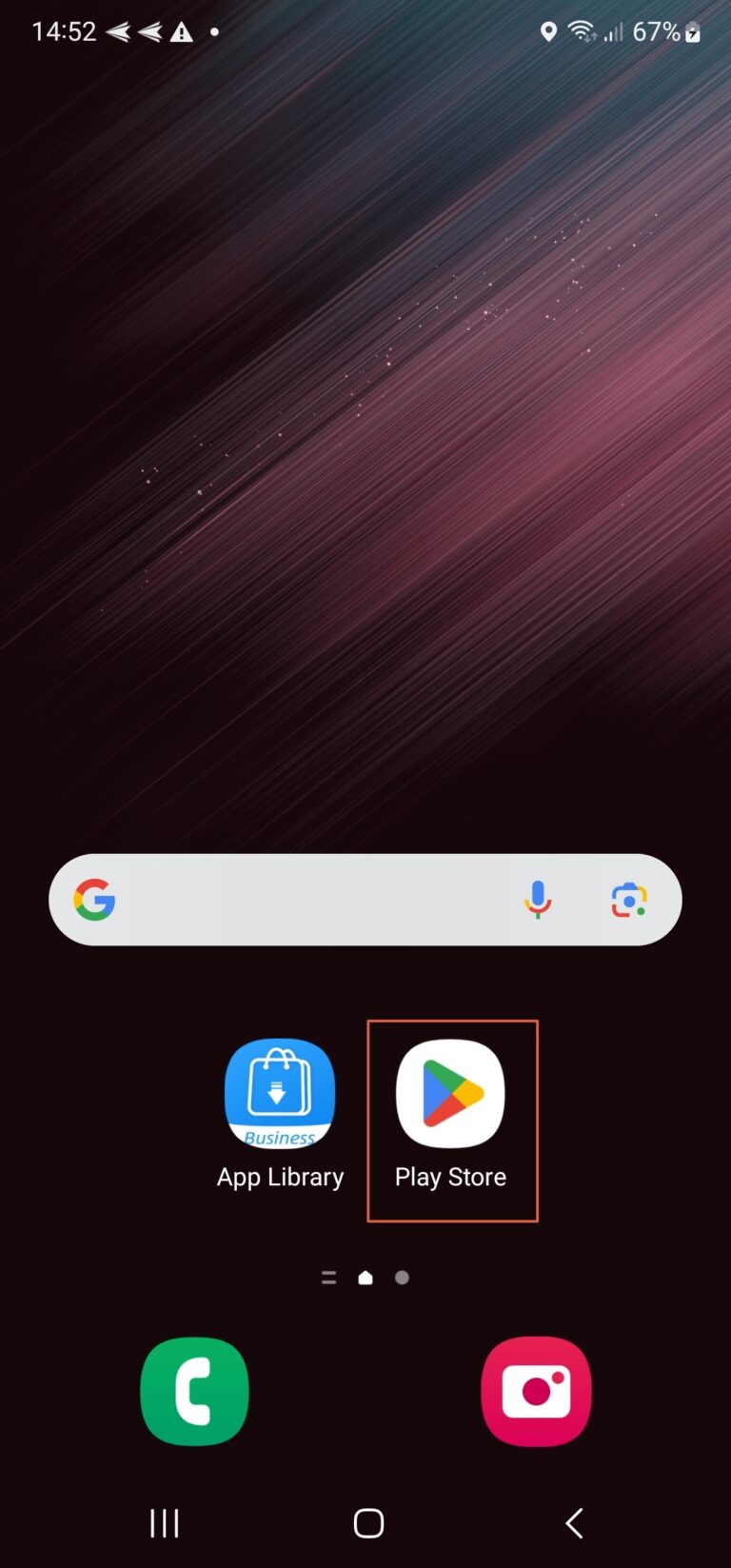
- Step 1: Open the Google Play Store app on your Android device.
- Step 2: Use the search bar at the top to type in “Pokémon” or the name of the specific game you wish to install.
- Step 3: Select the desired game from the search results, then tap the “Install” button. Ensure your device has a stable internet connection and sufficient storage.
- Step 4: Once installation completes, you can launch the game directly from the Play Store or find its icon on your home screen or app drawer.
Keep in mind that only a limited number of official Pokémon games are available on Android. If the game you want isn’t listed on the Play Store, you might consider using an Android emulator to run the game from other sources. For more details on emulators, ROMs, and how to set them up, refer to the next sections.
How to Play Classic Pokémon Games on Android
Playing classic Pokémon titles—originally designed for Game Boy, Game Boy Color, or Game Boy Advance—requires the use of emulators, which mimic these older gaming consoles on your modern device. Emulators enable you to run the original game files, known as ROMs, allowing you to relive the classic Pokémon experience or explore fan-made versions.
1. Choose a Reliable Emulator
An emulator acts as a virtual console, translating the hardware functions of older gaming systems to your Android device. Some popular options include:
- My Boy! (for Game Boy Advance): Known for its speed, compatibility, and user-friendly interface, making it ideal for GBA classics.
- John GBC (for Game Boy Color): Lightweight, simple, and perfect for GBC titles.
When selecting an emulator, prioritize compatibility with your target games, security (download only from trusted sources like the Google Play Store or official websites), and performance reviews. If unsure which emulator to pick, you can explore detailed guides on best Pokémon emulators for Android.
After choosing your emulator, download and install it following the on-screen instructions. The process is similar to installing any standard app.
2. Obtaining ROMs of Pokémon Games
ROMs are digital copies of the game cartridges, allowing you to play the original titles on an emulator. They are essential for running classic Pokémon games on your Android device. However, note that downloading ROMs of games you do not own is considered illegal in many regions. To stay within legal boundaries, create ROMs from your own cartridges using specialized hardware or software tools.
ROM hacks are modified versions of original ROMs, created by fans to add new content, features, or difficulty. These hacks might include:
- New regions and towns
- Additional characters and storylines
- Gameplay modifications and challenges
ROM hacks can provide a fresh twist on familiar games, but always ensure you source them from reputable and secure websites to avoid malware.
3. Loading and Playing the Game
Once you have your ROM files, open the emulator app. Most emulators feature a simple interface that allows you to browse your device’s storage and select the ROM you wish to play. Before starting, configure your emulator settings—such as controls, graphics, and save options—to enhance your gaming experience.
Some tips for smoother gameplay:
- Use save states to save progress at any moment.
- Connect a Bluetooth controller for more comfortable controls.
- Adjust graphics and sound settings for optimal performance.
With these steps completed, you’re ready to enjoy your favorite Pokémon adventures on your Android device.
Bonus: How to Play Pokémon Games on a Big Screen
Playing Pokémon on a larger display enhances the experience, especially when sharing with friends or family. To cast your game onto a TV, use tools like AirDroid Cast, which supports cross-platform screen sharing. This app is free, easy to set up, and compatible with Android, iOS, macOS, Windows, and smart TVs.
Here’s how to do it:
- Step 1: Download the AirDroid Cast app on your Android device from a trusted store.
- Step 2: On your TV, open a web browser and navigate to webcast.airdroid.com. Ensure both devices are connected to the same Wi-Fi network.
- Step 3: Scan the QR code or input the cast code displayed on the webpage to establish the connection.
- Step 4: Launch your Pokémon game on your Android device. The screen will now be mirrored on your TV, allowing you to play on a larger display.
This setup makes gaming more immersive and fun for multiple players and spectators.
Conclusion
Playing Pokémon games on Android offers a flexible way to enjoy these classic titles anywhere, anytime. Whether using official apps or emulating older games, the process is straightforward once you understand the steps involved. By selecting the right emulator, sourcing ROMs responsibly, and configuring your device properly, you can relive the magic of Pokémon on your mobile device. Don’t forget that you can also cast your gameplay onto a bigger screen for added enjoyment. Start your Pokémon journey today and catch ‘em all wherever you go!